Creating Steps
Drag a step onto the canvas and configure its executor type in the properties panel. Each step can use one of the following executors:| Executor Type | Description |
|---|---|
| Agent | Execute the step using a registered agent from your OS |
| Team | Delegate the step to a multi-agent team for collaborative execution |
| Custom Executor | Use a custom function |
Step Types
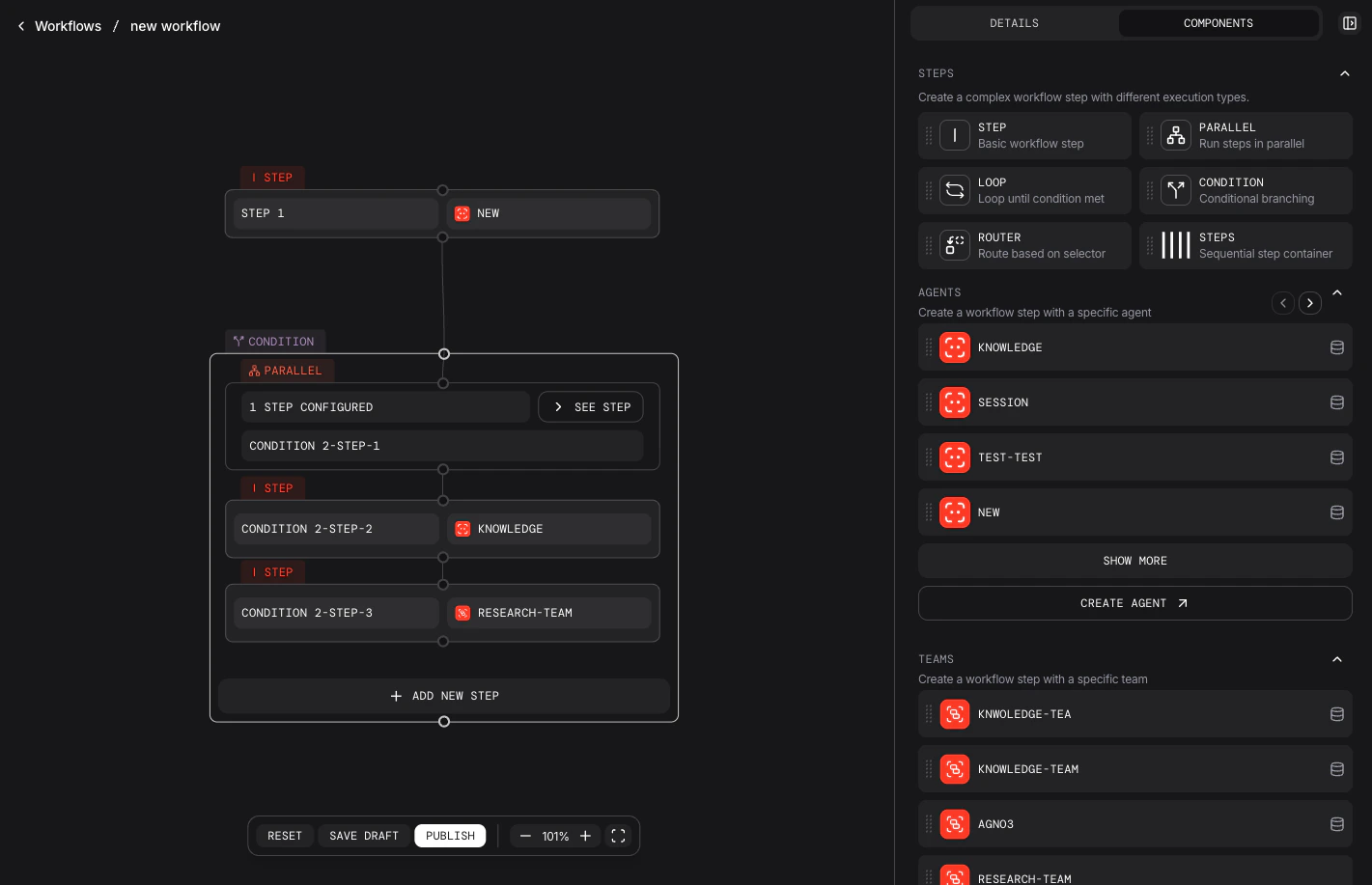
Beyond basic steps, you can build complex workflows using these step types:| Step Type | Description |
|---|---|
Step | Single agent, team, or custom executor execution |
Steps | Group of steps executed sequentially |
Condition | Branch based on an evaluator function or CEL expression |
Loop | Repeat steps until an end condition is met |
Router | Select a step based on a selector function or CEL expression |
Parallel | Execute multiple steps concurrently |
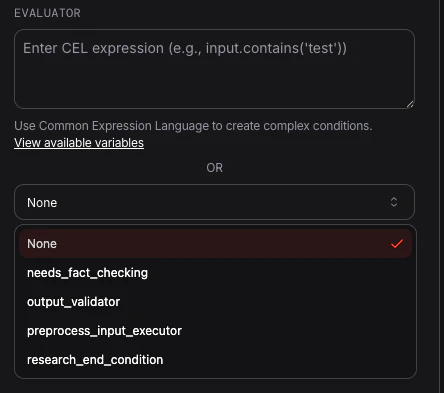
Configuring Complex Steps
Step types likeCondition, Router, and Loop require logic to control their behavior—either a Python function or a CEL expression. For example, you can use a CEL expression to evaluate if the input contains the word “apple”: